

Close Menu

    Subscribe to Updates

    Get the latest creative news from Healthradar about News,Health and Gadgets.

    Bitte aktiviere JavaScript in deinem Browser, um dieses Formular fertigzustellen.
    Wird geladen
    What's Hot

    China Deploys 2,200 AI Medical Kiosks — A Glimpse of Healthcare as Infrastructure

    9. Februar 2026

    8 fitness features hiding in your smartwatch that you’ll actually use

    9. Februar 2026

    Woman says her child is suffering constipation after coming off laxatives that were given to him by daycare worker

    8. Februar 2026
    Facebook X (Twitter) Instagram
    Facebook X (Twitter) Instagram Pinterest Vimeo
    healthradar.nethealthradar.net
    • Home
    • Ai
    • Gadgets
    • Health
    • News
    • Contact Us
    Contact
    healthradar.nethealthradar.net
    Home»Ai»8 fitness features hiding in your smartwatch that you’ll actually use
    Ai

    8 fitness features hiding in your smartwatch that you’ll actually use

    HealthradarBy Healthradar9. Februar 2026Keine Kommentare7 Mins Read
    Share Facebook Twitter Pinterest LinkedIn Tumblr Reddit Telegram Email
    8 fitness features hiding in your smartwatch that you’ll actually use
    Share
    Facebook Twitter LinkedIn Pinterest Email


    Smartwatches in 2026 are basically mini smartphones, and in some ways, they are even more ubiquitous, given the placement on your wrist.

    The funny thing is, most people still use them like a fancy pedometer: steps, a few notifications, maybe a run every so often, and then a vague sense of guilt when the rings aren’t behaving. However, the genuinely useful fitness features aren’t the most obvious ones. They’re the quieter tools hiding in health dashboards, post-workout screens, and settings menus you probably only opened once, when you first strapped the watch on, and never again.

    Set up the right handful, though, and your smartwatch stops being a passive tracker and starts nudging you towards better training decisions. To help you make the most of your smartwatch and keep up with those 2026 fitness goals, I’ve found eight features worth digging into.


    You may like

    Today’s best Apple Watch 11 and Apple Watch Ultra 2 deals

    runna apple watch apps

    (Image credit: Future / RunBuddy)

    Feature 1: Training Load

    Training Load (sometimes called workload) is a simple concept: your watch looks at recent workouts and visualises how hard you’ve been going, so you can see trends you’d otherwise miss.

    On Apple Watch, you can view it in the Activity app’s Workload view, and scroll through the past seven days to get a quick sense of whether you’ve been steadily building, staying level, or quietly overdoing it.

    The practical win is that it discourages accidental hero weeks.

    You don’t need to stare at charts or micromanage your sessions, either. Just do a quick daily glance, plus a check-in after anything particularly demanding.

    Sign up for breaking news, reviews, opinion, top tech deals, and more.

    Smartgym on apple watch

    (Image credit: Future / Matetus Abras)

    Feature 2: Rate your workouts

    Here’s the problem with relying purely on pace and heart rate: two workouts can look identical on paper and feel completely different.

    Heat, hills, poor sleep, stress, and even what you eat can shift how demanding a session feels, even if the numbers don’t scream it.

    That’s why effort rating, sometimes shown as perceived exertion, is such a useful little add-on. Apple explicitly ties this into Training Load, allowing you to log how hard a workout felt so the load picture better reflects reality over time, while Garmin also has a smiley-face rating system. You don’t need to be ultra-precise, either; the trick is consistency.


    You may like

    If you keep the meaning of your ratings steady, even in broad strokes like easy, moderate and hard, your training history becomes far more honest.
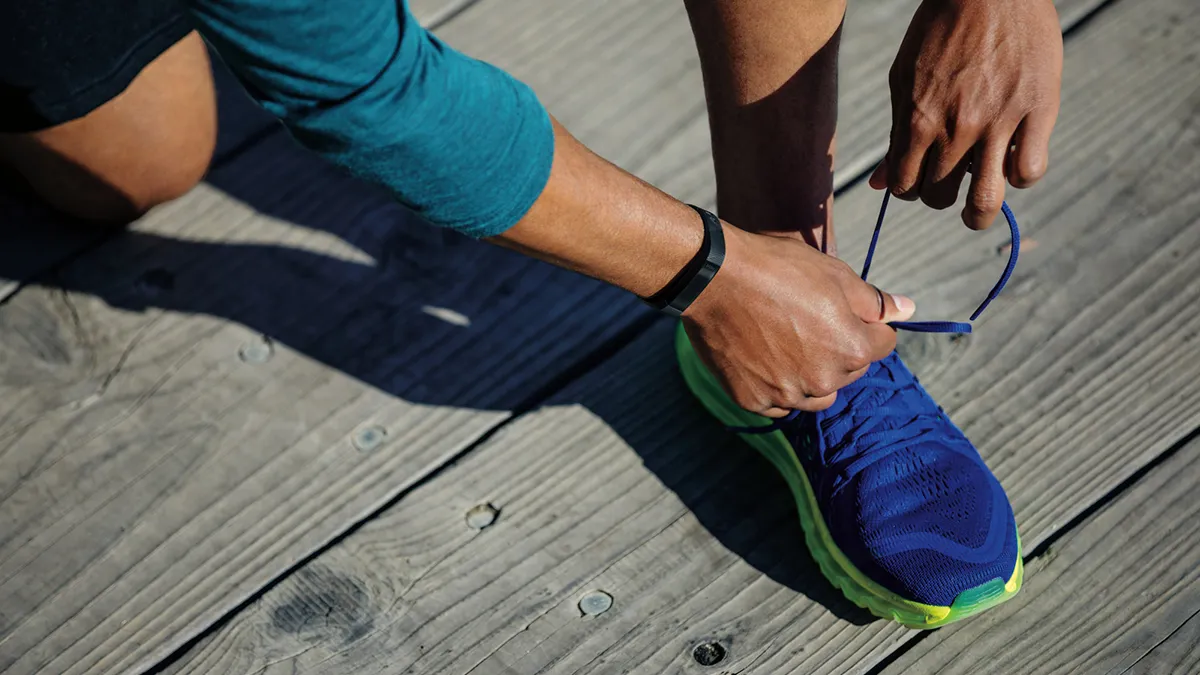
    Fitbit

    Feature 3: Set heart-rate or pace targets

    Most people use their smartwatch like a receipt: you do the workout, then you look at the stats afterwards. Targets flip that around.

    There are two target styles that matter for everyday training. Heart rate targets are brilliant for easy runs that accidentally get harder, and pace targets are great for steady sessions where you want to stay inside a comfortable range.

    In Fitbit’s ecosystem, which covers both Fitbit devices and Fitbit-powered Wear OS watches, zone-based guidance and workout targets are designed to keep you in the right intensity range during the session.

    The trick is finding the target in the first place, because it’s often tucked inside workout settings, custom runs, or coaching options, not the default “start run” screen. Luckily, it only takes a few minutes to find and configure.
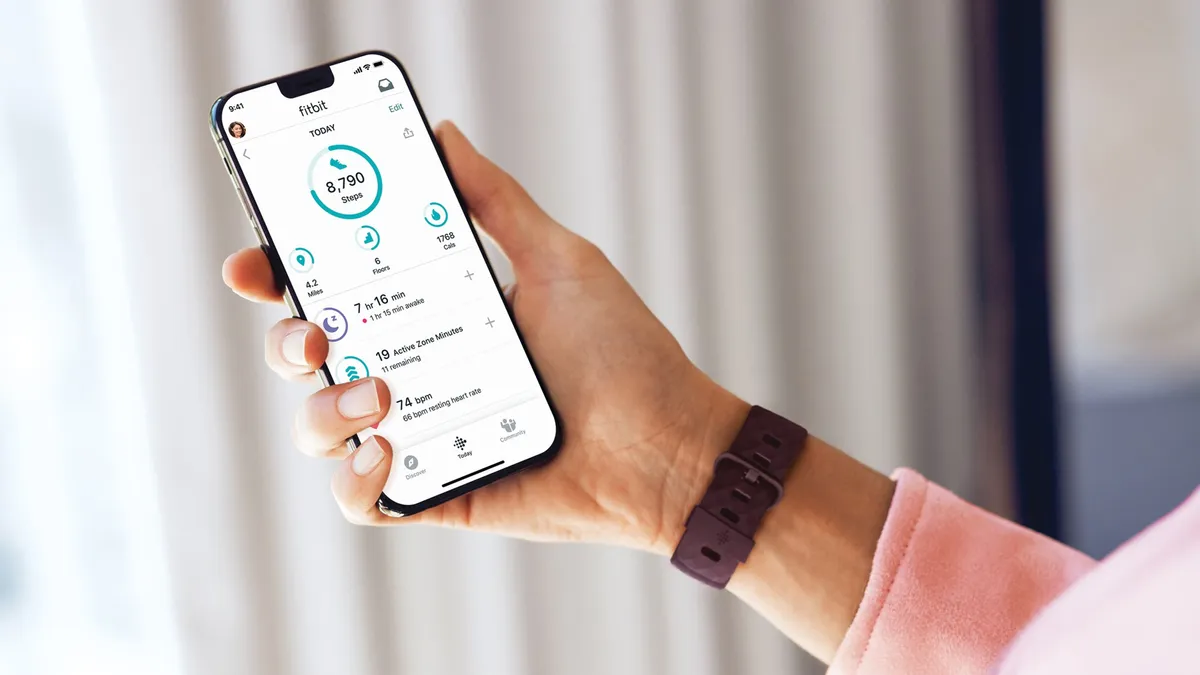
    Today’s best Fitbit Versa 3 and Fitbit Inspire 3 deals

    The Fitbit Charge 4 and the Fitbit app

    (Image credit: Fitbit)

    Feature 4: Use your Readiness Score

    A readiness score is basically a daily tie-breaker. Instead of guessing whether you’re up for a tough session, your watch uses recovery signals to nudge you towards the right type of workout.

    In Fitbit’s ecosystem, the Daily Readiness Score is designed to reflect how prepared your body is for activity, using factors like sleep, recent activity, and heart metrics such as resting heart rate and heart rate variability.

    The best way to use it is as a decision tool, not a strict rule. A low score does not have to mean “do nothing”, but it is often a good prompt to swap intervals for an easy run, a walk, or mobility work.

    Stepsapp on apple watch

    (Image credit: Future / StepsApp GmbH)

    Feature 5: Check your Vitals

    Some mornings you wake up and feel off – not ill, just sluggish or strangely flat. This is where Vitals-style dashboards are genuinely useful, because they turn a vague feeling into something you can act on.

    On Apple Watch, the Vitals app builds a typical range for overnight health metrics it collects while you sleep, then flags readings as outliers when they’re meaningfully above or below your norm. Garmin watches offer a Health Status digest with five key metrics, such as pulse ox and heart rate variability, as well as a Morning Report on how you slept.

    If multiple metrics fall outside your typical range, you can also get a notification the next morning, alongside context for factors that can influence the results, such as medications, elevation changes, or alcohol.

    It’s important to note that you do not need to obsess over the numbers. The simplest, most useful habit is to treat it as a traffic-light check on mornings you feel questionable; if everything looks typical, you can train as planned.

    The best Apple Watch apps

    (Image credit: Future / Genlter Stories)

    Feature 6: Wrist temperature trends

    Wrist temperature is easy to misunderstand, so it helps to set expectations upfront: it’s not a “take your temperature on demand” feature, and it is not about obsessing over one reading.

    The value is in night-to-night trends, which can add a useful layer of context when you’re trying to work out if you’re under-recovered, travelling poorly, or simply heading into a rough week.
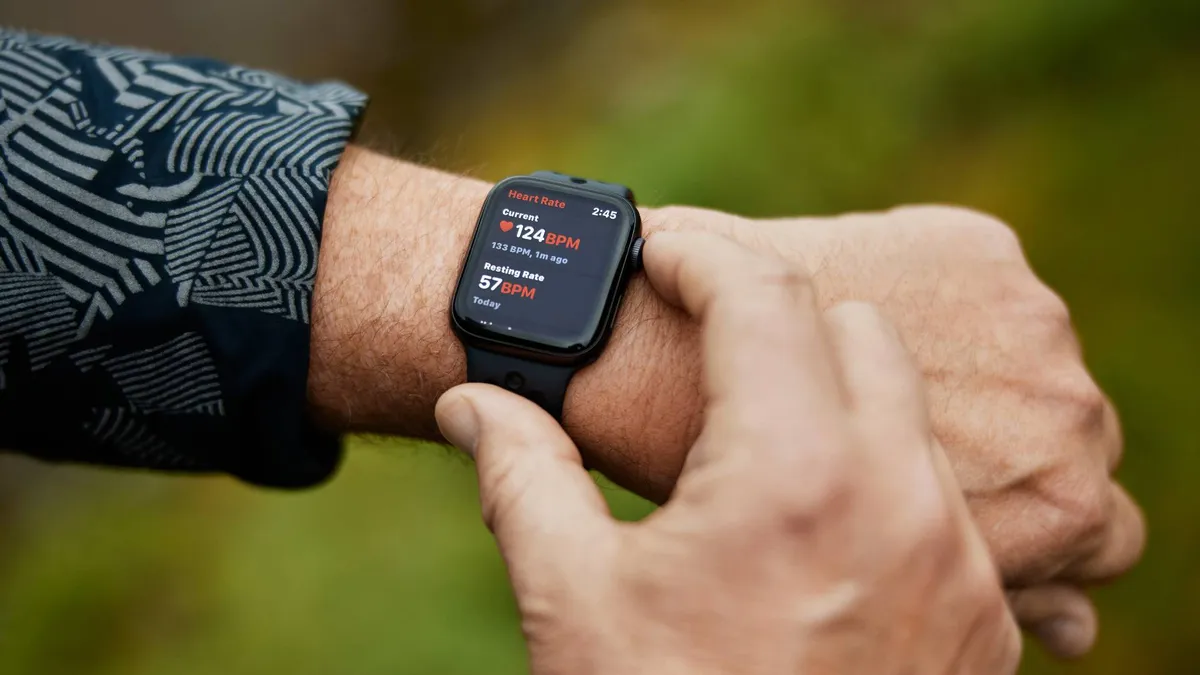
    On Apple Watch, wrist temperature is measured overnight and shown as a baseline with changes from baseline, rather than a single absolute number, and it can take several nights of wear to establish that personal reference point.

    A person monitors their heart rate using an Apple Watch.

    (Image credit: Apple)

    Feature 7: Irregular rhythm notifications

    This one sits slightly to the side of pure fitness, but it’s exactly the sort of feature people forget they have.

    Irregular rhythm notifications can run in the background and look for signs of an irregular heart rhythm, while ECG is usually an on-demand test where you open an app and follow the prompts.

    On Apple Watch, Apple describes irregular rhythm notifications as a feature that can occasionally check your heart rhythm and send a notification if it detects an irregular rhythm that appears consistent with atrial fibrillation. Fitbit, Google Pixel, Samsung and Garmin behave the same way.

    We need to stress that this is not medical equipment, and you should contact your doctor for anything serious.

    If your watch supports these features, it’s worth enabling the notifications and making sure you know where the ECG app lives.

    Samsung Galaxy Watch Ultra

    (Image credit: Future / Lance Ulanoff)

    Feature 8: Use an adaptive running coach

    A lot of people would run more consistently if they didn’t have to decide what to do every single time, which is why built-in coaching features can be such a win.

    On Samsung’s recent Galaxy Watch line, the company’s personalised Running Coach is designed to assess your running level and build a tailored plan, with the coaching experience running through Samsung Health.

    Fitbit’s ecosystem also leans heavily into guided training and readiness-style prompts, which is why it tends to be a natural fit for Wear OS watches that prioritize health coaching alongside workout tracking.

    Today’s best Samsung Galaxy Watch 8, Samsung Galaxy Watch 8 Classic and Samsung Galaxy Watch Ultra deals


    Source link

    Features fitness hiding smartwatch youll
    Share. Facebook Twitter Pinterest LinkedIn Tumblr Email
    Previous ArticleWoman says her child is suffering constipation after coming off laxatives that were given to him by daycare worker
    Next Article China Deploys 2,200 AI Medical Kiosks — A Glimpse of Healthcare as Infrastructure
    ekass777x
    Healthradar
    • Website

    Related Posts

    Ai

    I tried a running watch for a month after years of running without one – here are 5 things I’ve learned

    7. Februar 2026
    Ai

    ICYMI: the week’s 7 biggest tech stories from Alexa+ leaving early access to the Fitbit founders‘ a new health tracking platform

    7. Februar 2026
    Ai

    Redditors have found a Whoop subscription hack that’s saving them big money – but it comes with caveats

    6. Februar 2026
    Add A Comment
    Leave A Reply Cancel Reply

    Top Posts

    Garmin Venu 4: Everything we know so far about the premium smartwatch

    7. August 202586 Views

    Nanoleaf LED face mask review: fantastic value for money, but only by cutting some corners

    16. Oktober 202552 Views

    The Top 3 Tax Mistakes High-Earning Physicians Make

    7. August 202535 Views

    Dexcom raises sales expectations, discusses G8 plans

    31. Juli 202524 Views
    Stay In Touch
    • Facebook
    • YouTube
    • TikTok
    • WhatsApp
    • Twitter
    • Instagram
    Latest Reviews

    Subscribe to Updates

    Bitte aktiviere JavaScript in deinem Browser, um dieses Formular fertigzustellen.
    Wird geladen
    About Us

    Welcome to HealthRadar.net — your trusted destination for discovering the latest innovations in digital health. We are dedicated to connecting individuals, healthcare professionals, and organizations with cutting-edge tools, applications

    Most Popular

    Garmin Venu 4: Everything we know so far about the premium smartwatch

    7. August 202586 Views

    Nanoleaf LED face mask review: fantastic value for money, but only by cutting some corners

    16. Oktober 202552 Views
    USEFULL LINK
    • About Us
    • Contact Us
    • Disclaimer
    • Privacy Policy
    QUICK LINKS
    • Ai
    • Gadgets
    • Health
    • News
    • About Us
    • Contact Us
    • Disclaimer
    • Privacy Policy
    Copyright© 2025 Healthradar All Rights Reserved.

    Type above and press Enter to search. Press Esc to cancel.